More Information
Tagline
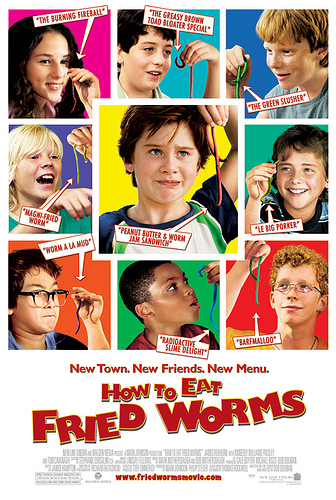
New town. New friends. New menu.
Synopsis
Based on the hugely popular Thomas Rockwell book, How To Eat Fried Worms brings the classic story of a boy whose bravado lands him in a difficult predicament. The film revolves around 11-year-old Billy, who inadvertently challenges the school bully on his first day at a new school. In order to save face and earn the respect of his new classmates, Billy agrees to a bet that calls for him to eat 10 worms in one day.
As the pressure mounts, Billy must summon all his strength to keep his younger brother from blabbing, his weak stomach from betraying him, and his big mouth from getting him in even more trouble. How To Eat Fried Worms is written and directed by Bob Dolman (The Banger Sisters), stars Luke Benwald (Because of Winn-Dixie), Tom Cavanaugh (Ed), Kimberly Williams (Father of the Bride, According to Jim), and Hallie Kate Eisenberg (The Insider). It is co-produced with Walden Media and scheduled for an August 25, 2006 release.
Trailer
Products
Cast
Thomas Cavanagh … Dad
Kimberly Williams-Paisley
Alexander Agate … Donny Pickett
Luke Benward … Billy
David Bewley … Rob Simon
Philip Bolden … Bradley
Tom Brainard … Officer Penrod
Hallie Kate Eisenberg … Erika
Jo Ann Farabee … Bait shop lady
Blake Garrett … Plug
Andrew Gillingham … Techno Mouth
Alexander Gould … Twitch
Mark Harrison
Adam Hicks … Joe
Clint Howard
Nick Krause … Nigel
Ryan Malgarini … Benjy
Ty Panitz … Woody
James Rebhorn … Principal "Boiler Head" Burdock
Austin Rogers … Adam Simms
Stacey Smith … Country Club Member
Crew
Cale Boyter … executive producer
Michael Disco … executive producer
K.C. Hodenfield … associate producer
Mark Johnson … producer
David Kaufman … executive producer
Alex Schwartz … executive producer
Philip Steuer … producer
Tom Williams … associate producer
Mark Mothersbaugh … music
Richard Rutkowski … cinamatography
Be the first to comment